QuickTip: Querying KQL Tables From Other Workspaces In Fabric
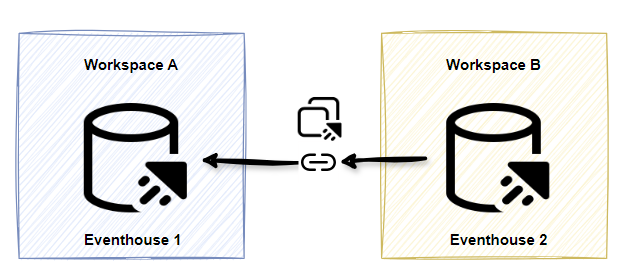
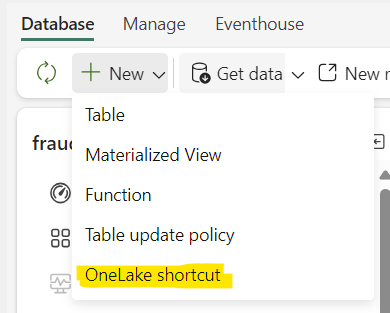
In Fabric, if you want to query a delta table from a lakehouse in another workspace, you create a shortcut to that table. Similarly, in Eventhouse, you can also create shortcuts to Eventhouses in other workspaces, but the option might not be immediately obvious in the GUI. If you click on New > OneLake shortcut, it creates a shortcut to a delta table, not an Eventhouse.
You have two options if you want to query a table from Eventhouse1 in Workspace A from Evenethouse2 in Workspace B.
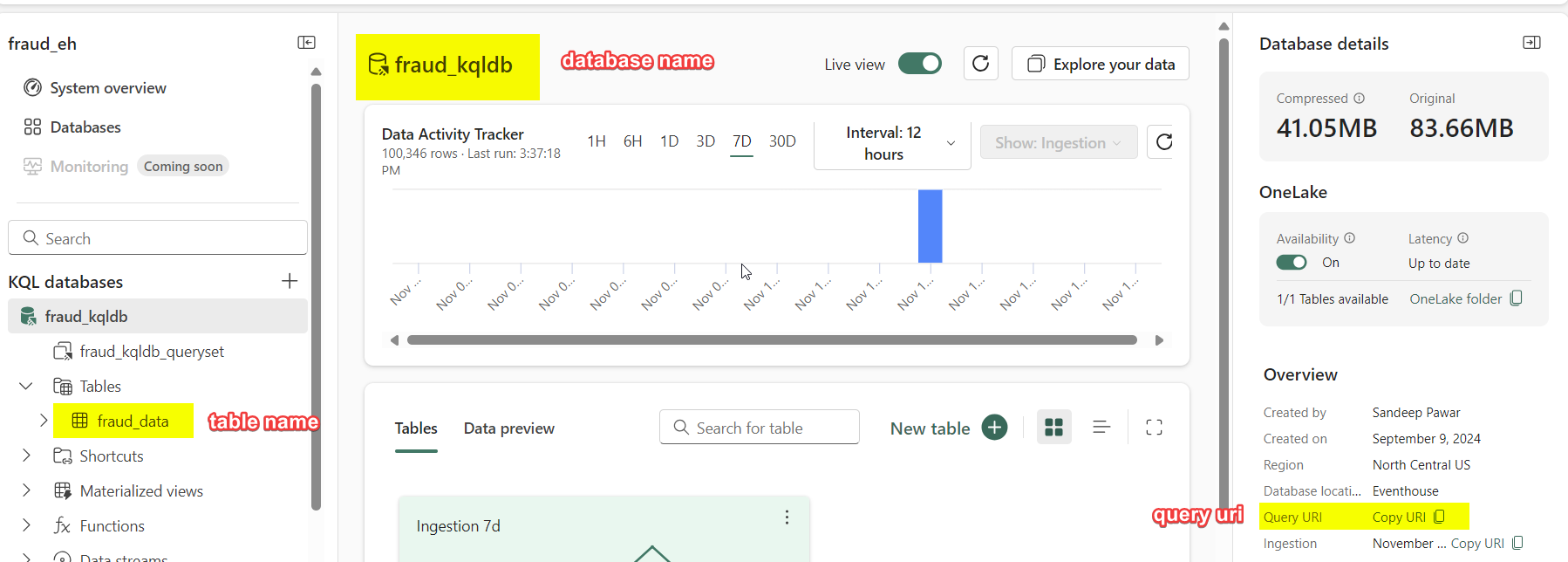
You will need three things about the Eventhouse/table you want to shortcut:
ClusterURI : You can either get that from the UI or by using KQL :
print current_cluster_endpoint().Database name
Table name
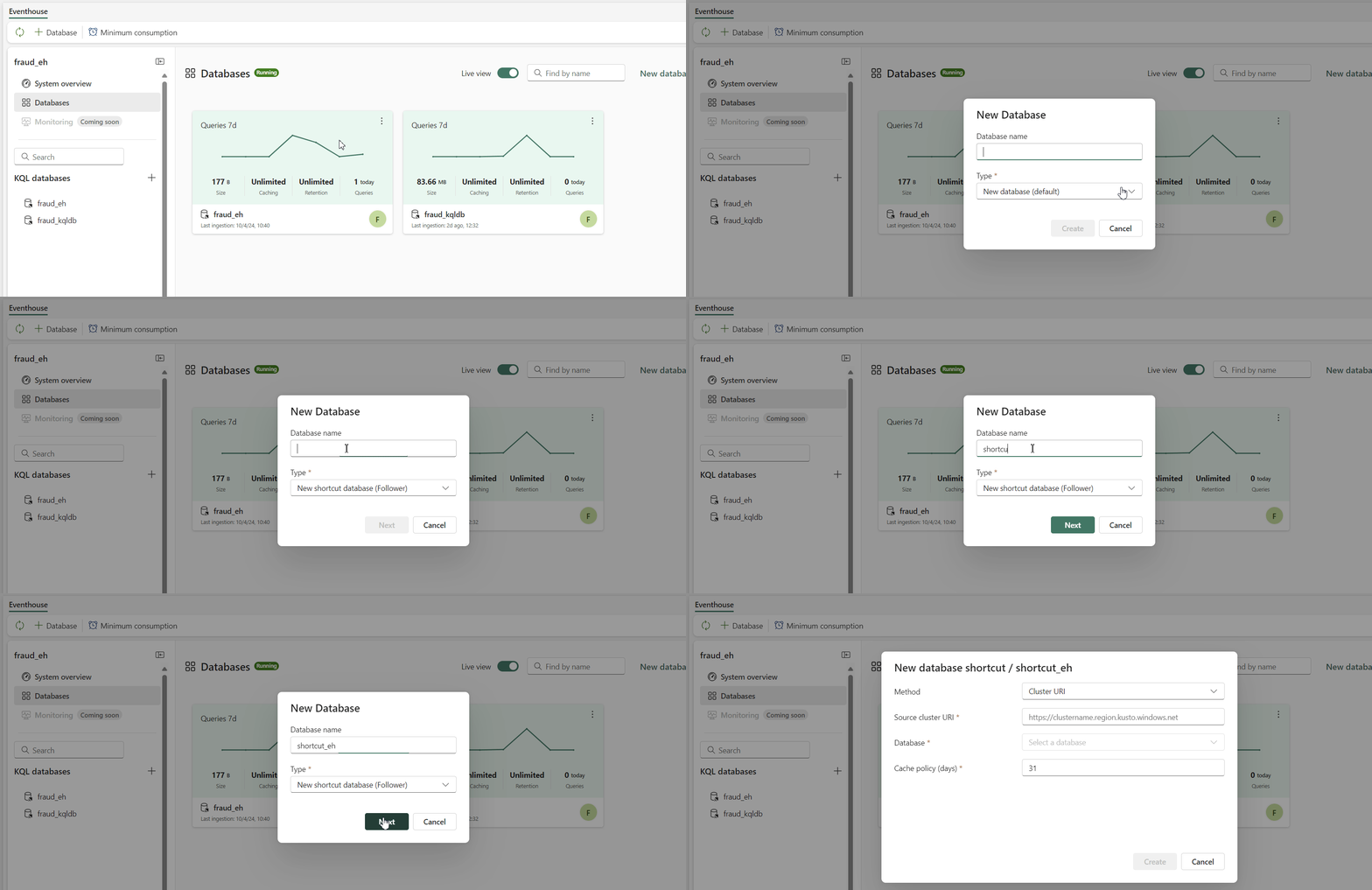
Using UI:
Create a database shortcut by selecting + Database > New shortcut database (follower). Then enter the cluster URI, select database. Optionally you can also set the caching policy for hot cache. This will add the database as a shortcut along with all its tables.
Programmatically
You can also query specific tables from another cross-workspace Eventhouse using
let ClusterUri = "https://<cluster_guid>.z1.kusto.fabric.microsoft.com";
let DatabaseName = "<kqldbname>";
let KQLTableName = "<table>";

let _mytable =
    cluster(ClusterUri).database(DatabaseName).table(KQLTableName)
    | summarize
        avg_temp = avg(Temperature),
        avg_humidity = avg(Humidity)
    by Occupancy;

_mytable
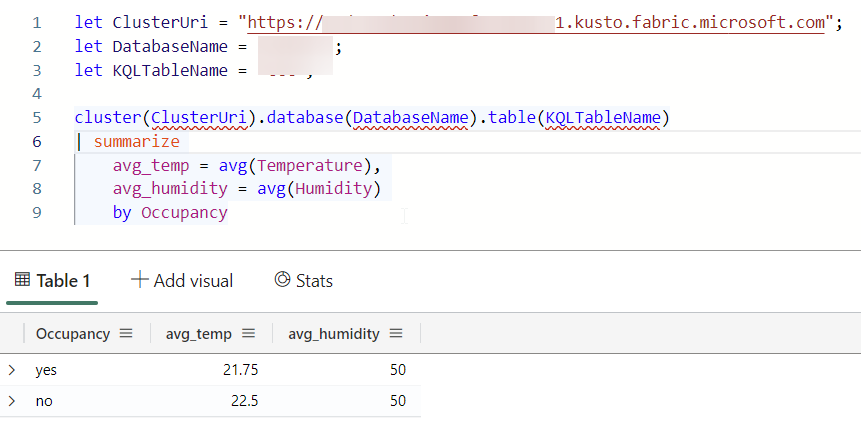
Using the above method you can perform cross-cluster joins and unions.
Why is this important ? Well, you will see next week !
Reference:
About the author
Principal Program Manager, Microsoft Fabric CAT helping users and organizations build scalable, insightful, secure solutions. Blogs, opinions are my own and do not represent my employer.