ICYMI: Fabric List Connections API In Now Live And Available In Semantic Link Labs
Principal Program Manager, Microsoft Fabric CAT helping users and organizations build scalable, insightful, secure solutions. Blogs, opinions are my own and do not represent my employer.
In you case you missed it, List Connections Admin API is now live in Fabric. It was shipped in Semantic Link Labs v 0.7.4 a few weeks ago but at the time of the release it was still private. This API returns all the connections set up in the tenant and requires admin privileges [see footnote]. I still can’t find documentation on it so wait for the official details. Note that this API is different from item - list connection API which lists connections used by an item.
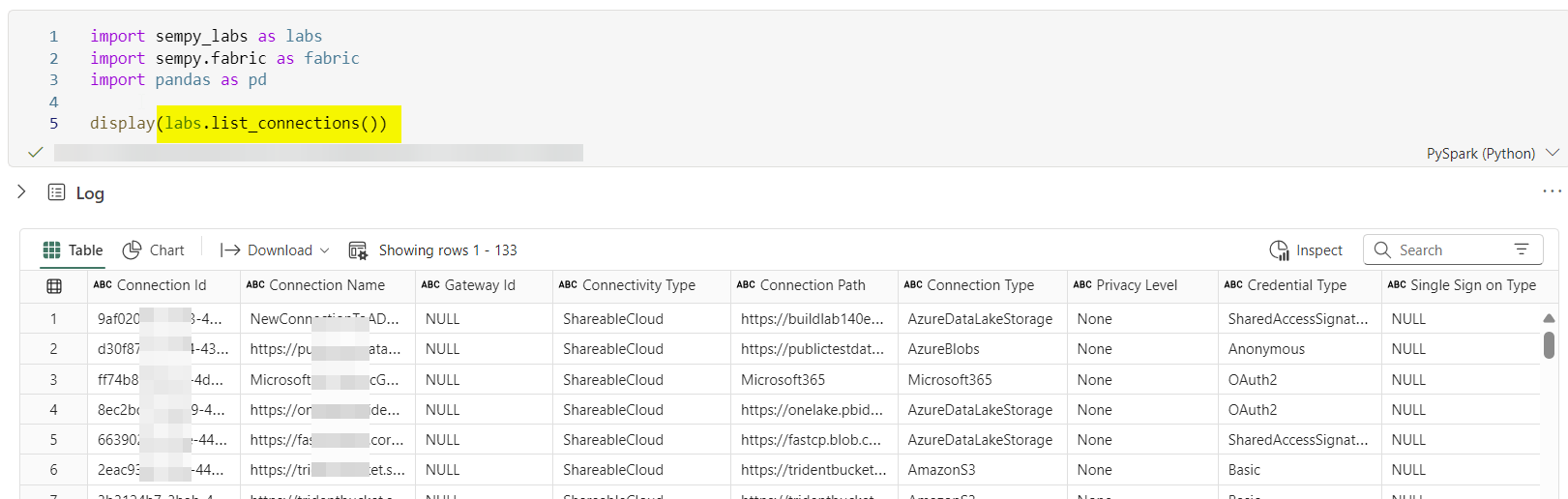
## Using Labs
labs.list_connections()

## Using Semantic Link
client = fabric.FabricRestClient()
response = client.get("/v1/connections")
response.json()
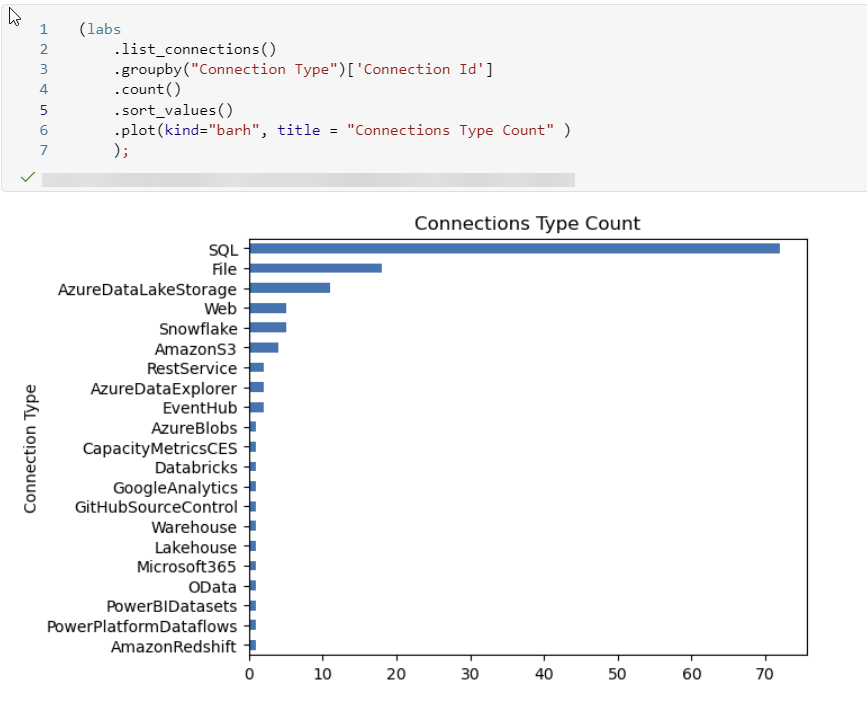
This API also lists On-Prem Personal Gateway connections, which if you might know, was never possible with the Power BI Gateway API. You had to use the Gateway cmdlet. It doesn’t list who created the connection but at least you can monitor all the connections that use personal gateways and use local files/on-prem data sources.
def get_personal_gateways():
    conn = labs.list_connections()
    return conn.query("`Connectivity Type` == 'OnPremisesGatewayPersonal' ")

get_personal_gateways()
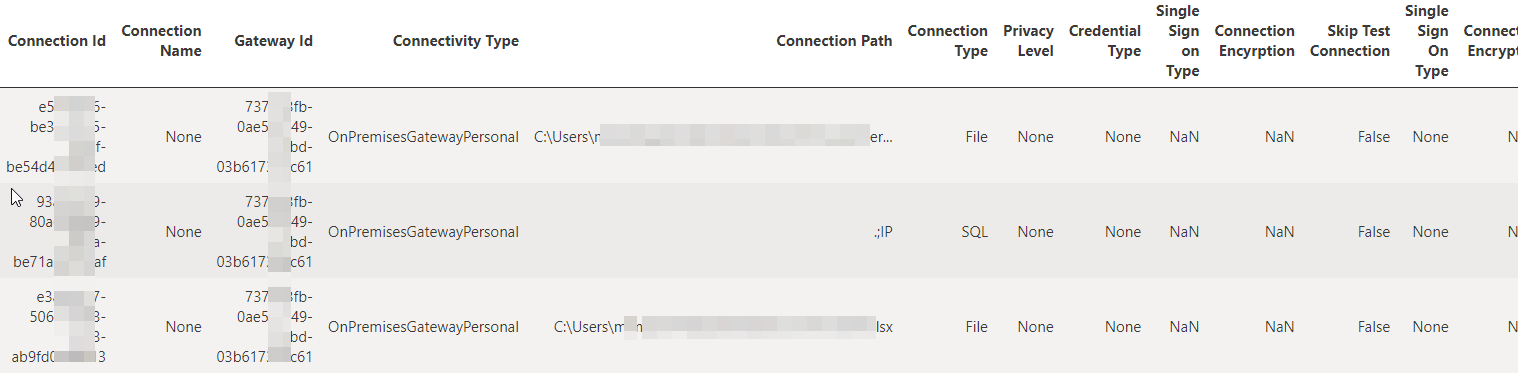
There is no API yet that I am aware of that lists all items for a given connection, that would be great for impact analysis.
Notes:
- Michael Kovalsky pointed out that you do not need admin privileges for this API. I will update the blog when more details are available (11/05/2024)